






Microsoft continues to invest heavily in Microsoft Teams, pushing it far beyond chat and video calls and into the center of how work actually gets done. New AI-driven enhancements rolling out through 2026 are designed to make meetings more productive, collaboration more natural, and information easier to capture and reuse.
AI Agents Are Coming to Teams Meetings
Microsoft is introducing AI agents powered by Copilot that can actively assist during meetings and conversations. These agents can help answer questions, surface context, and summarize discussions in real time, reducing the need for manual note-taking and follow-ups.
Microsoft has outlined its broader vision for AI agents across Microsoft 365, including Teams, as part of its Copilot roadmap.
How you might use this:
During a leadership meeting, instead of assigning someone to capture notes, Copilot can generate a clear summary of decisions and next steps that everyone can reference afterward.
Copilot Will Understand What’s on Your Screen
One of the most impactful updates is Copilot’s ability to analyze shared on-screen content during Teams meetings. This includes documents, spreadsheets, slides, and other shared materials.
With this capability, users can ask Copilot questions like:
- “Summarize what’s being discussed on this slide”
- “Turn this document into action items”
- “Rewrite this section based on the feedback in the meeting”
How you might use this:
If a project plan or budget spreadsheet is shared on screen, Copilot can later help summarize what was reviewed or turn that discussion into action items for people who couldn’t attend.
Smarter Chat Summaries for Busy Teams
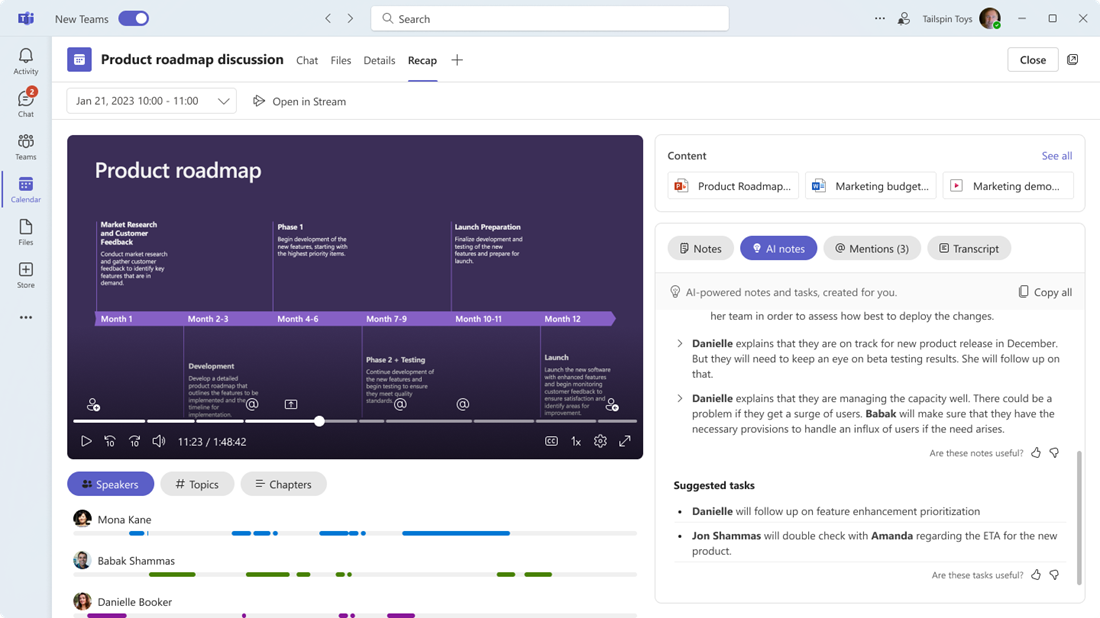
Teams chats can quickly become overwhelming, especially in active channels. Microsoft is enhancing Copilot’s ability to summarize chat conversations, pulling out key decisions, highlights, and next steps.
This makes it easier for:
- Leaders to catch up quickly
- New team members to onboard faster
- Teams to stay aligned without scrolling endlessly
How you might use this:
If you step away from a busy project channel for a day or two, Copilot can quickly summarize what changed so you don’t have to scroll through dozens of messages.
Meeting Recaps Can Be Shared to SharePoint
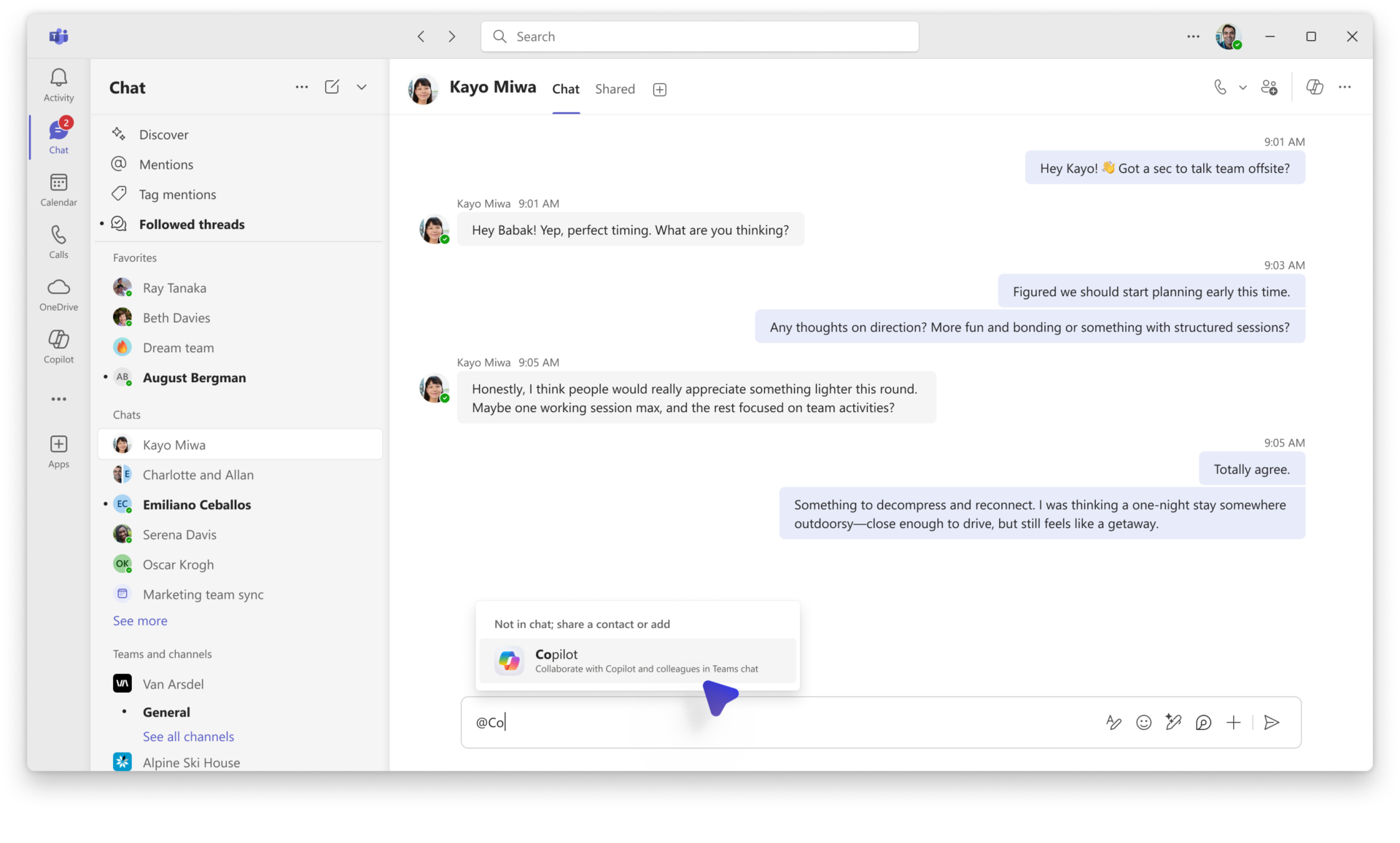
Microsoft is strengthening the connection between Teams and SharePoint by allowing meeting recaps to be shared directly to SharePoint.
This helps organizations:
- Centralize meeting notes and recordings
- Improve knowledge retention
- Create searchable project documentation
Instead of meeting insights living in silos, they can now become part of a structured knowledge base.
How you might use this:
After recurring project meetings, recaps can live in a SharePoint site where stakeholders can easily find past decisions, notes, and recordings without digging through chat history.
More Interactive Meetings
Another update allows all meeting participants to annotate during screen sharing, not just presenters. This makes brainstorming, training sessions, and reviews more interactive, especially for hybrid teams.
What This Means for Organizations
These updates reinforce Microsoft’s direction: Teams is becoming an AI-powered collaboration hub, not just a communication tool.
For businesses, this means:
- More efficient meetings with built-in intelligence
- Less manual work capturing notes and follow-ups
- Better use of shared content and organizational knowledge
- A stronger return on Microsoft 365 investments
Organizations that plan ahead, by reviewing Copilot licensing, updating internal training, and aligning governance policies, will be best positioned to take advantage of these capabilities.
Ready to Make Microsoft Work Better for Your Team?
Microsoft continues to roll out powerful capabilities, but getting value from them requires the right setup and guidance. If you need help implementing Microsoft tools or optimizing your existing environment, Aldridge is here to help. Contact Aldridge today to start the conversation.