

[VIRTUAL TRAINING]
copilot BEYOND THE BASICS
ELEVATE YOUR PRODUCTIVITY
Explore how to go beyond simple prompts and tap into advanced techniques, real-world use cases, and smart strategies to integrate Copilot into your daily workflows. Work smarter, not harder, with AI that adapts to you.
What We’re Covering:
Join us for a live, in-depth session on how to take your Microsoft Copilot skills to the next level. This training goes beyond the basics to show you how to use Copilot more strategically, automate complex tasks, and maximize its potential for real-world business scenarios. You’ll walk away with actionable tactics to make Copilot a true game-changer in your workflow.
Topics
- Advanced Prompt Engineering: Learn how to craft more precise prompts that deliver richer, more tailored results from Copilot.
- Real-World Use Cases: See how professionals in various industries are using Copilot to solve unique challenges and accelerate projects.
- Workflow Integration Strategies: Explore ways to embed Copilot into your day-to-day processes for continuous productivity gains.
-
- Collaboration Boosters: Discover advanced features that enhance teamwork, from dynamic content generation to streamlined document sharing.
- Data-Driven Insights: Learn how Copilot can help analyze, summarize, and present complex information in seconds.
- Future-Proof Your Skills: Get tips for staying ahead as Copilot evolves, ensuring you can adapt quickly to new capabilities.
-
Meet Your Instructor

JoLynn Rihn
Microsoft Master Instructor
JoLynn Rihn has been helping people work smarter with Microsoft applications since they were first released. She is a Certified Trainer and Microsoft Master Instructor with over 30 years’ experience. She teaches on the basics to advanced features using programs like Teams, Excel SharePoint, Outlook and more.
JoLynn’s background as a college instructor and corporate software trainer makes her uniquely qualified to teach you how to get the most out of your technology.
CPE Information
Participants must attend the live session in its entirety and respond to all required polling questions during the webinar to receive CPE credit.
- Delivery Method: Group Internet-Based
- CPE Credits & Field of Study: 1.0 Credit – Computer Applications
- Program Level: Basic
- Prerequisites: None
- Advanced Preparation: None
- Refund Policy: No fee; no refund necessary
Aldridge is registered with the National Association of State Boards of Accountancy (NASBA) as a sponsor of continuing professional education on the National Registry of CPE Sponsors. State boards of accountancy have final authority on the acceptance of individual courses for CPE credit. Complaints regarding registered sponsors may be submitted to the National Registry of CPE Sponsors through its website: nasbaregistry.org. Registry ID #168016
Complaint Resolution Policy
We are committed to providing a high-quality learning experience and ensuring participant satisfaction. If you have a complaint regarding any aspect of a course or program, please follow the steps below to address your concerns:
-
- Contact Us: Submit your complaint in writing to Aldridge Marketing [email protected] or contact us at 817-734-3919 within 10 business days of the issue arising. Please include your name, the course or program title, the date, and a detailed description of your concern.
- Review Process: Upon receiving your complaint, we will acknowledge receipt within 2 business days. Our team will review the issue thoroughly and may contact you for additional information if necessary.
- Resolution: We will provide a formal response and proposed resolution within 10 business days of receiving your complaint. Resolutions may include, but are not limited to, clarification of course content, adjustments to program delivery, or refunds where applicable.
We value your feedback and use it to continuously improve our programs. If you have further questions or concerns, please do not hesitate to reach out
Countdown
Day(s)
:
Hour(s)
:
Minute(s)
:
Second(s)
How to Join
Struggling to join? This video will walk you through joining the webinar and will show you how to submit questions.
There are two ways to join the webinar:
- Click on the unique link in your confirmation email from Aldridge Events (sent from: [email protected])
- Click here, and enter the webinar ID (773-290-707) and the email you used to register
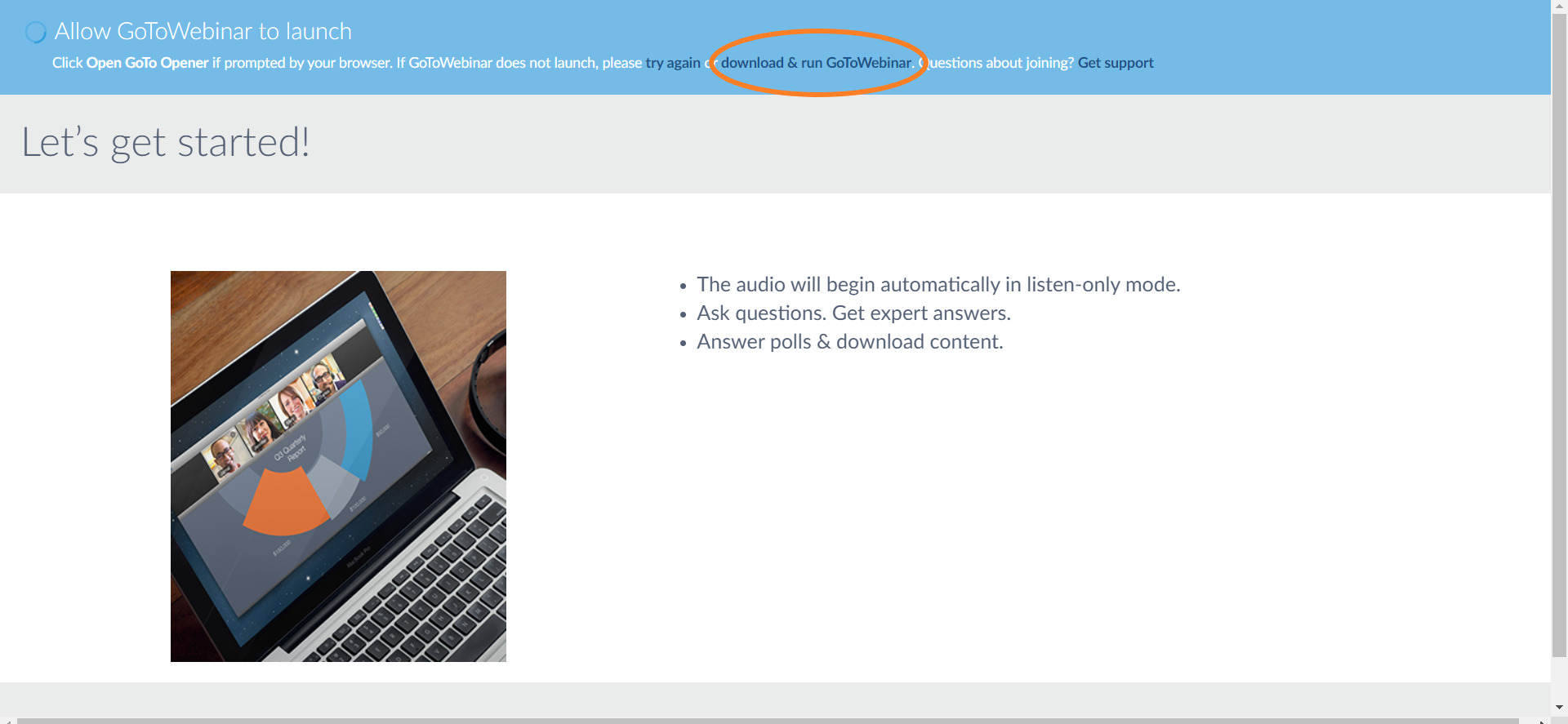
If you’ve never attended a GoToWebinar event before, the installer will automatically download. Once it downloads, just open it and it’ll take you right to the panel.
If the installer doesn’t download automatically, click the “download & run GoToWebinar” link when you get to the screen below.