






Aldridge Blog
Quick reads to improve your IT strategy
Most Recent Posts
The End of Windows 10: How It Affects You & Next Steps
After nearly 10 years, Windows 10 will officially reach its end of support on October 14, 2025. As the end of life for Windows 10 approaches, it's crucial for businesses, especially low-end, small clients, to prepare for the transition to Windows 11. Continuing to use...
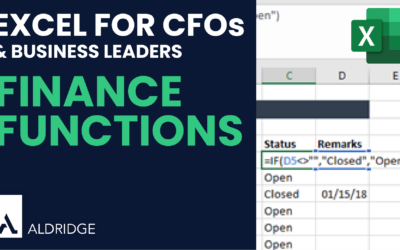
5 Advanced Excel Functions You Should Know
Excel is helpful for payroll analysis by leveraging powerful functions like SUM, SUBTOTAL, SUMIF, COUNTIF, and XLOOKUP. These formulas can help you analyze employee payroll data efficiently, even if you're starting from scratch or managing a simple spreadsheet. ...
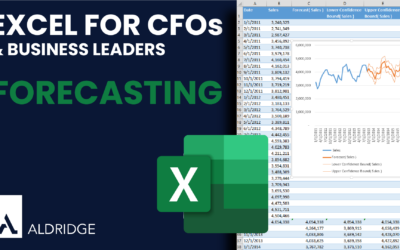
Quick Financial Forecasting in Excel
Forecasting is a critical aspect of financial planning and analysis, enabling businesses to anticipate future trends based on historical data. Excel's built-in forecasting tools make this process more accessible and efficient. What is the Forecast Sheet Feature? ...
What are the Different Types of IT Outsourcing?
Outsourcing IT services has become a common strategy for businesses looking to improve efficiency, reduce costs, and gain access to specific expertise. However, with so many different types of IT outsourcing options available, it can be challenging to decide which one...
Advantages of having a Fractional Chief Information Officer (FCIO) vs. a Full-time CIO
The role of a Chief Information Officer (CIO) is to provide strategic direction for an organization's information technology (IT) operations. A CIO is responsible for managing an organization's IT infrastructure and ensuring that it aligns with the organization's...
Top Complaints People Have About Their IT Team
IT teams play an important role in the success of any organization. They are responsible for maintaining and troubleshooting the technology infrastructure and providing support to employees. However, even the most experienced and dedicated IT professionals can run...
[Teams Tips] Using Loop Components to Collaborate Through Teams Chat
Loop components are a feature on Microsoft Teams that allow you to create interactive and dynamic content in your chat. These components can be used to create lists, discussion topics, tables, and other interactive elements that can engage your team members and...
[Teams Tips] How to Create & Use Microsoft Teams Tasks
Creating a task in Microsoft Teams is a great way to keep track of your to-do list and stay organized within your team. Here's how to do it: Create a Task in Microsoft Teams Open Microsoft Teams and hover over the message that you want to create the task for. Click on...
[Teams Tips] How to Create a Poll in Microsoft Teams
Setting up a poll in Microsoft Teams is an efficient way to collect feedback or gather opinions from your team members. Here's a step-by-step guide to creating a poll in Microsoft Teams: Create a Poll in Microsoft Teams Open Microsoft Teams and select the team and...
[Teams Tips] Change your Presence Status on Microsoft Teams
Microsoft Teams is a popular collaboration platform that allows users to communicate, share files, and collaborate on projects in real-time. One of the features of Microsoft Teams is the ability to set your "status" – a message that appears next to your name and lets...
It Security
How Executives Should Adapt to the New Security Landscape
It’s crucial to recognize that the IT world we operate in has changed and is a new security landscape. This shift isn't exclusive to cybersecurity providers; it encompasses every business across various industries. Whether you're dealing with customers, vendors, or...
Microsoft Copilot: Aligning AI Adoption & Security
Before adopting Microsoft Copilot, it's crucial to assess your organization's readiness and risk profile. Whether you're operating in a low-concern, conscientious, or highly regulated environment, aligning Copilot implementation with strong security protocols and data...
5 Benefits of Managed IT Services in Dallas
Technology is the backbone of your success. You need a reliable and secure infrastructure to conduct business and serve your customers. But for many Dallas businesses, managing IT in-house ultimately is a distraction that diverts too many resources away from core...
Microsoft 365
SharePoint in 30 Minutes – Part 7: Using Office Apps
Video Transcription Let's explore what it's like to work with SharePoint but from a local Office app. Instead of using something like Word Online, we're going to actually use Word installed on a PC. In order to make sure that you can access your SharePoint...
SharePoint in 30 Minutes – Part 6: Web and Desktop Apps
Video Transcription Let's talk about all of the apps that are available that work with SharePoint Online. To access the online versions of these applications while you're in SharePoint, you can click the application launcher in the top left of the window. This...
Which Cloud Provider Should I Choose? [Video]
From Microsoft Azure and Amazon Web Services to private cloud environments, companies have plenty of file storage options. But which is best for your business?
It Consulting
The Latest Wave of Microsoft Copilot
Microsoft continues to push the boundaries of AI-powered productivity with its latest updates to Microsoft 365 Copilot. With over 150 new features and 700+ product updates this year, Microsoft has been focused on addressing the challenges many of us face in our daily...
5 Advanced Excel Functions You Should Know
Excel is helpful for payroll analysis by leveraging powerful functions like SUM, SUBTOTAL, SUMIF, COUNTIF, and XLOOKUP. These formulas can help you analyze employee payroll data efficiently, even if you're starting from scratch or managing a simple spreadsheet. ...
Don’t Miss Our Most Popular Articles

How Executives Should Adapt to the New Security Landscape
It’s crucial to recognize that the IT world we operate in has changed and is a new security landscape. This shift isn't exclusive to cybersecurity providers; it encompasses every business across various industries. Whether you're dealing with customers, vendors, or...

Microsoft Copilot: Aligning AI Adoption & Security
Before adopting Microsoft Copilot, it's crucial to assess your organization's readiness and risk profile. Whether you're operating in a low-concern, conscientious, or highly regulated environment, aligning Copilot implementation with strong security protocols and data...

5 Benefits of Managed IT Services in Dallas
Technology is the backbone of your success. You need a reliable and secure infrastructure to conduct business and serve your customers. But for many Dallas businesses, managing IT in-house ultimately is a distraction that diverts too many resources away from core...