






Aldridge Blog
Quick reads to improve your IT strategy
Most Recent Posts
Construction Company Wins Bigger Contracts by Upgrading IT
A fast-growing construction firm struggled with outdated IT infrastructure that made it difficult to operate remote sites, communicate efficiently, and stay competitive. Their aging technology slowed bid submissions, caused project delays, and prevented them from...
Should a Long-Term Care Provider Outsource Their IT?
Technology plays a crucial role in the delivery of resident care and the management of facilities. One question that long-term care providers often ask themselves is whether they should outsource their IT services or handle them in-house. Should a Long-Term Care...
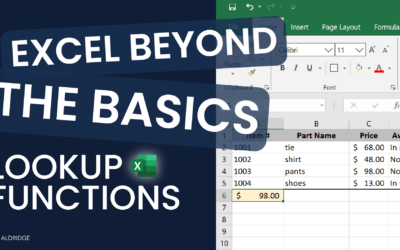
How to Use vLookup and xLookup Functions in Excel
Lookup functions in Excel simplify data retrieval by allowing users to search for specific information within datasets efficiently. How to Use vLookup and xLookup Functions in Excel vLookup The V in VLOOKUP stands for "Vertical." In Excel, the VLookup function...
[Executive Panel] How to Keep Business Moving During COVID-19 Preview
Watch the full recording to hear our panelists speak on: Adjusting Operations: The operational challenges we face as business leaders and what we did to mitigate risk while adjusting core segments of our business processes...
5 Benefits of Using VoIP For Business
Despite being the superior phone technology, only about 31% of businesses are utilizing VoIP phone systems (Multicom). Like with any new technology, widespread adoption takes time; however, the direction of the industry is clear. Gartner predicts by 2021, 90% of IT...
4 Ways to Use Technology to Motivate Your Team During COVID-19
Everyone is adjusting to a new way of life, and some struggle more than others. So how do you hold your employees accountable while being empathetic to their unique situations as we all work to juggle the transitions and anxieties we face today? This post will cover...
How Manufacturers Use Office 365 Data Insights to Drive Decisions
When it comes to digital transformation, any technology change you invest time, money, and resources to adopt should, in some way, contribute to improving your customer experience by utilizing your employees for their full value. The fluctuations in market demand must...
Why You Should Implement Managed Backup for Microsoft Office 365
What is Managed Backup, and Why is it Useful? Microsoft’s standard Office 365 services include short-term, self-service options to recover many types of deleted items. In your Outlook email mailbox, the Recycle Bin preserves things you delete until you empty it, or...
How SharePoint File Services Can Benefit Your Business
Getting Started: Resources to Understand the SharePoint Online Experience This material is a great starting point for getting familiar with SharePoint. Differences between SharePoint and a traditional file server Understanding Microsoft SharePoint, Microsoft...
What Are Microsoft Office 365 Exchange Online E-Mail Services?
What are Microsoft Office 365 Exchange Online E-Mail Services, and Why Would I Want Them? Email, calendaring, and communications management are integral parts of today’s business. It makes sense to leverage enterprise-class scale, features, and reliability for your...
It Security
The Value of a Fractional Security Consultant
Businesses face growing pressure to safeguard their operations, data, and reputation. Enter the fractional security consultant – a strategic asset offering specialized expertise without full–time commitment. The Value of a Fractional Security Consultant The Rise of...
The Power of Fully Managed Outsourced IT Services
From optimizing operations to adopting innovation, the role of IT is essential. Yet, many businesses find themselves juggling between managing their core operations and navigating the scope of technology. Enter fully managed outsourced IT services—a game-changer for...
Co-Managed IT vs Managed IT: What’s the Difference?
Two prominent models—Co-Managed IT and Managed IT—hold significant influence in the IT landscape. But what sets them apart, and how do they align with different business requirements? Co-Managed IT vs Managed IT Untangling Co-Managed IT and Managed IT Managed IT...
Microsoft 365
No Results Found
The page you requested could not be found. Try refining your search, or use the navigation above to locate the post.
It Consulting
3 Top Complaints Long-Term Care Providers Have About Their IT
One of the top complaints long-term care providers have about their IT systems is poor usability. Providers need IT systems that are easy to use, intuitive, and can help streamline their workflows. Unfortunately, many IT systems in long-term care are overly complex...
Should a Long-Term Care Provider Outsource Their IT?
Technology plays a crucial role in the delivery of resident care and the management of facilities. One question that long-term care providers often ask themselves is whether they should outsource their IT services or handle them in-house. Should a Long-Term Care...
Don’t Miss Our Most Popular Articles

The Value of a Fractional Security Consultant
Businesses face growing pressure to safeguard their operations, data, and reputation. Enter the fractional security consultant – a strategic asset offering specialized expertise without full–time commitment. The Value of a Fractional Security Consultant The Rise of...
The Power of Fully Managed Outsourced IT Services
From optimizing operations to adopting innovation, the role of IT is essential. Yet, many businesses find themselves juggling between managing their core operations and navigating the scope of technology. Enter fully managed outsourced IT services—a game-changer for...
Co-Managed IT vs Managed IT: What’s the Difference?
Two prominent models—Co-Managed IT and Managed IT—hold significant influence in the IT landscape. But what sets them apart, and how do they align with different business requirements? Co-Managed IT vs Managed IT Untangling Co-Managed IT and Managed IT Managed IT...