






Aldridge Blog
Quick reads to improve your IT strategy
Most Recent Posts
Microsoft Copilot in 2025: What’s Changed & What’s Next
Microsoft Copilot has evolved significantly in 2025, bringing major updates that improve integration, usability, and AI-driven efficiency across Microsoft 365 applications. A Redesigned Experience and New Branding Microsoft has refreshed the Copilot interface for a...
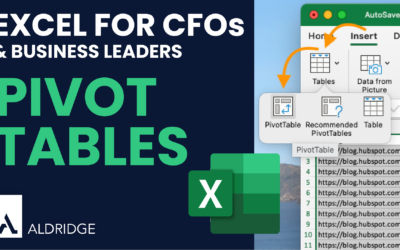
Analyzing Data with Pivot Tables in Excel
Pivot Tables allow you to summarize, analyze, and present large datasets in a meaningful way, making it easier to spot trends, compare values, and create customized reports. What is a Pivot Table? A Pivot Table is a tool in Excel that enables you to quickly...
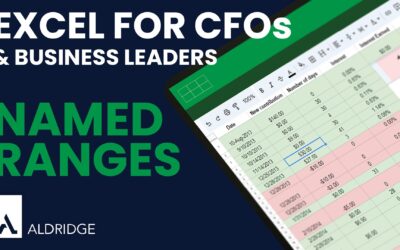
Why You Should be Using ‘Named Ranges’ in Excel
One of the most powerful yet often underutilized features in Excel is Named Ranges. Named Ranges offer significant benefits, especially when dealing with complex datasets and formulas. What Are Named Ranges? Named Ranges in Excel allow you to assign a name to a...
How To Reset Your Microsoft Password [Microsoft Self-Service Password]
Tired of needing IT support just to change your Microsoft 365 password? Use this step-by-step guide to access Microsoft’s self-service dashboard to change your password on your own. Microsoft Self-Service Password Change Step 1: Log into your Microsoft Account...
Prepare For Your Next Cyber Insurance Renewal
Are you ready for your next cyber insurance renewal? In the not-so distant past, cyber insurance renewals were a simple process, however, that is no longer the case. Renewal applications have become much more in-depth, and it is becoming more common for applications...
How to Set up and Use Microsoft 365 Multi-Factor Authentication
Multi-Factor Authentication (MFA) protects against unauthorized, potentially malicious people from accessing your account. MFA supplements the log-in process by requiring the user to provide at least one second factor – something they have (such as physical access to...
Change your Background on Microsoft Teams
Video calls are something we have become very familiar with. The beauty of video calls is that you can attend a meeting just about anywhere, whether that be in a home office, your kitchen, or maybe even at your local McDonald’s. Depending on who your video call is...
Pros and Cons of Outsourced IT Support
Your day-to-day business relies on technology, having IT support that can sustain your potential growth and help to keep your business running efficiently is crucial. Managing IT in-house can be difficult and expensive. Moving to outsourced IT could be a good way to...
[SMBs] How Much Cyber Insurance Coverage Do You Need?
By now, every business owner, big or small, should understand how critical cyber insurance is for protecting their business. Even if you feel you might not be storing information valuable enough for a cyber-attack, you are still a target. It’s not necessarily about...
How Cyber Insurance Helps You Recover from a Cyber Attack
The cost of damages from a data breach goes beyond repairing your databases, buying new security tools, or replacing lost hardware. While this is expensive, the company may have to deal with legal and PR issues and may need to check if there are remnants of the...
It Security
Launching Microsoft Copilot in Your Organization: 3 Essential Steps
Launching Microsoft Copilot in your organization takes some planning and execution. We’ve broken down the process into three key steps to ensure a successful deployment. Launching Microsoft Copilot in Your Organization: 3 Essential Steps Step 1: Assessing Potential...
4 Tools to Manage Your Cyber Risk | Accept, Transfer, Control, & Avoid
As cyber threats become more frequent and costly, managing risk has become a top priority for organizations. With rising attack costs and expensive security tools, leaders need a structured approach to decide how much to invest in security. Cyber risk management...
Microsoft 365 Copilot: Low Cost, Low Risk AI
Companies are always seeking ways to boost productivity, cut costs, and drive revenue growth. Microsoft Copilot might be the answer—a cost-effective, low-risk AI tool. Microsoft Copilot: Low Cost, Low Risk Data Privacy Unlike other AI tools that utilize public...
Microsoft 365
SharePoint in 30 Minutes – Part 5: Sharing Basics
Video Transcription You can share documents with others in your organization as well as those outside your organization in a few simple steps. When you share documents from SharePoint, you no longer have to worry about saving and editing multiple copies of the...
SharePoint in 30 Minutes – Part 4: Recover and Restore Documents
Video Transcription If you need to recover a deleted file from anywhere in SharePoint, regardless of who the changes or who deleted the file, you can do this from the recycle bin located in the left navigation menu. Once here, you can see information about a...
SharePoint in 30 Minutes – Part 3: Features and Collaboration
Video Transcription Now that we have our first document created, let me show you some of the actions that you can take on that document. If you'll notice, there's a ribbon up at the top with some quick actions that you can take. We've already used the "new"...
It Consulting
Quick Financial Forecasting in Excel
Forecasting is a critical aspect of financial planning and analysis, enabling businesses to anticipate future trends based on historical data. Excel's built-in forecasting tools make this process more accessible and efficient. What is the Forecast Sheet Feature? ...
Analyzing Data with Pivot Tables in Excel
Pivot Tables allow you to summarize, analyze, and present large datasets in a meaningful way, making it easier to spot trends, compare values, and create customized reports. What is a Pivot Table? A Pivot Table is a tool in Excel that enables you to quickly...
Don’t Miss Our Most Popular Articles
Launching Microsoft Copilot in Your Organization: 3 Essential Steps
Launching Microsoft Copilot in your organization takes some planning and execution. We’ve broken down the process into three key steps to ensure a successful deployment. Launching Microsoft Copilot in Your Organization: 3 Essential Steps Step 1: Assessing Potential...
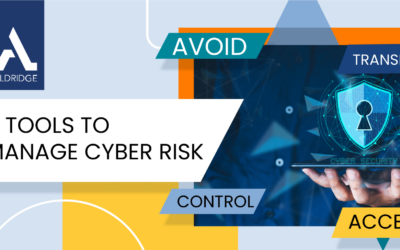
4 Tools to Manage Your Cyber Risk | Accept, Transfer, Control, & Avoid
As cyber threats become more frequent and costly, managing risk has become a top priority for organizations. With rising attack costs and expensive security tools, leaders need a structured approach to decide how much to invest in security. Cyber risk management...

Microsoft 365 Copilot: Low Cost, Low Risk AI
Companies are always seeking ways to boost productivity, cut costs, and drive revenue growth. Microsoft Copilot might be the answer—a cost-effective, low-risk AI tool. Microsoft Copilot: Low Cost, Low Risk Data Privacy Unlike other AI tools that utilize public...